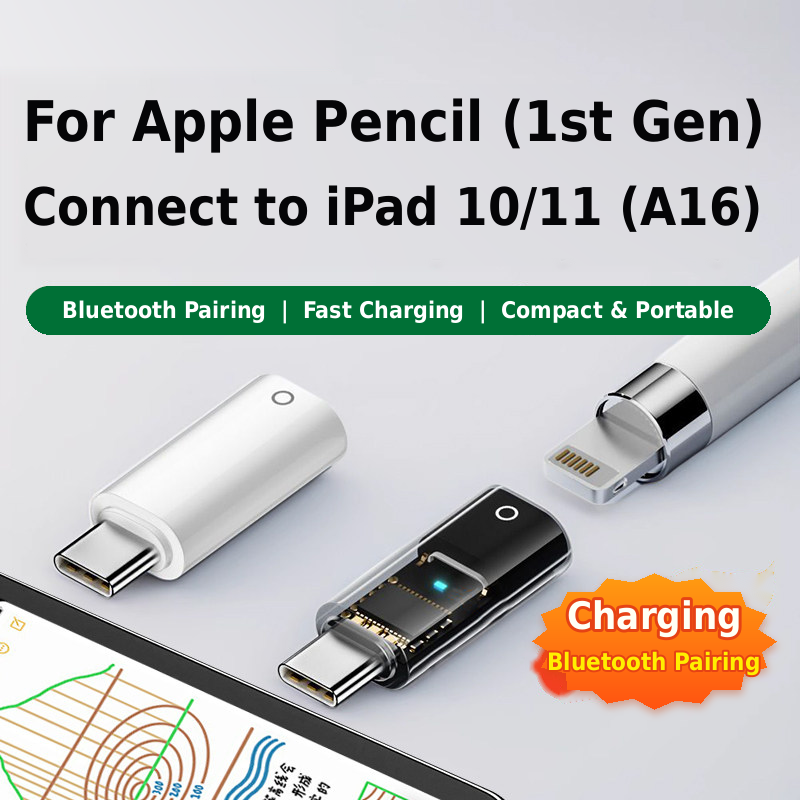
Apple Pencil 1st Gen Bluetooth Adapter for iPad 10/11
$9.99
Pair and charge your Apple Pencil (1st Gen) with iPad 10 or iPad 11 (A16)
using this compact Lightning female to USB-C male adapter.
- Supports Bluetooth pairing and charging
- Plug-and-play operation with a built-in chip
- Blue LED operating indicator
- Lightweight 2.8 g high-gloss PC body
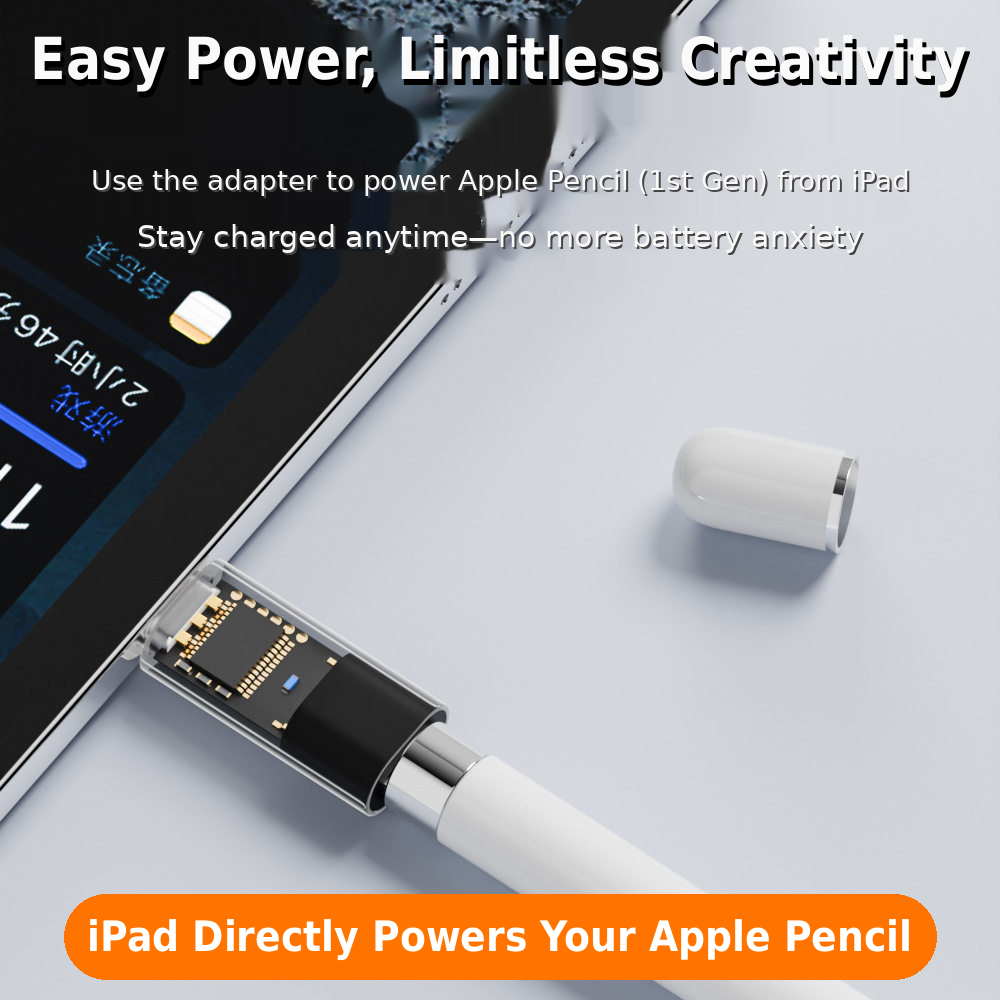
- Powered directly by an iPad or a compatible USB-C power source
Use Your Apple Pencil 1st Gen with Compatible USB-C iPads
This compact adapter is designed for Apple Pencil (1st generation) users who need
Bluetooth pairing and charging with iPad 10 or iPad 11 (A16). It features a
Lightning female port for the Apple Pencil and a
USB-C male connector for the iPad or a compatible power source.
With a built-in chip, plug-and-play operation, and a blue LED indicator,
the adapter provides a simple and convenient connection without complicated setup.
Key Features
- Bluetooth Pairing & Charging: Supports Apple Pencil 1st Gen pairing and charging with compatible iPad models.
- Lightning Female to USB-C Male: Connects the Apple Pencil’s Lightning connector to a compatible USB-C iPad or power source.
- Direct iPad Power Supply: Allows the iPad to power the Apple Pencil through the adapter.
- Multiple Power Options: Also works with suitable USB-C cables, wall chargers, power banks, and laptops.
- Built-In Chip: Designed for convenient pairing without pop-up interruptions.
- Blue LED Indicator: Provides a clear visual indication of the adapter’s operating status.
- Compact & Lightweight: Weighs only 2.8 g, making it easy to carry in a bag or pocket.
- Durable Construction: Made from high-gloss PC material.
Compatibility
- Apple Pencil (1st generation)
- iPad 10th generation
- iPad 11th generation (A16)
Specifications
- Connector Type: Lightning female to USB-C male
- Material: High-gloss PC
- Weight: 2.8 g
- Overall Dimensions: 33 × 12.6 × 7.8 mm
- Body Length: 24.8 mm
- USB-C Connector Length: 6.82 mm
- Indicator: Blue LED
How to Use
- Connect the adapter’s USB-C male plug to your iPad or a compatible USB-C power source.
- Insert the Apple Pencil 1st Gen Lightning connector into the adapter’s Lightning female port.
- Follow the iPad’s pairing instructions to complete the Bluetooth connection.
- Use the blue LED indicator to check the adapter’s operating status.
Important Pairing Note
For reliable Bluetooth pairing, make sure the Apple Pencil has
at least 30% battery. A lower battery level may affect
the pairing process. Charge the Apple Pencil first if necessary.
| Attributes | Value |
|---|---|
| Weight | 0.1 kg |
| Dimensions | 10 × 10 × 3 cm |